
Import files with a guided start
Preview data and select a worksheet. A role-aware walkthrough explains import, metrics, saved dashboards, and analysis; reopen it whenever needed.
Import an Excel or CSV file, confirm the metrics and filters, then explore trends, rankings, and source rows. Designed for recurring performance reviews and client reports.
A local MVP is in development. Public sign-up and paid plans are not available yet.
Metric cards, time trends, category rankings, and a data preview share one screen. Define the question and calculation before interpreting the result.
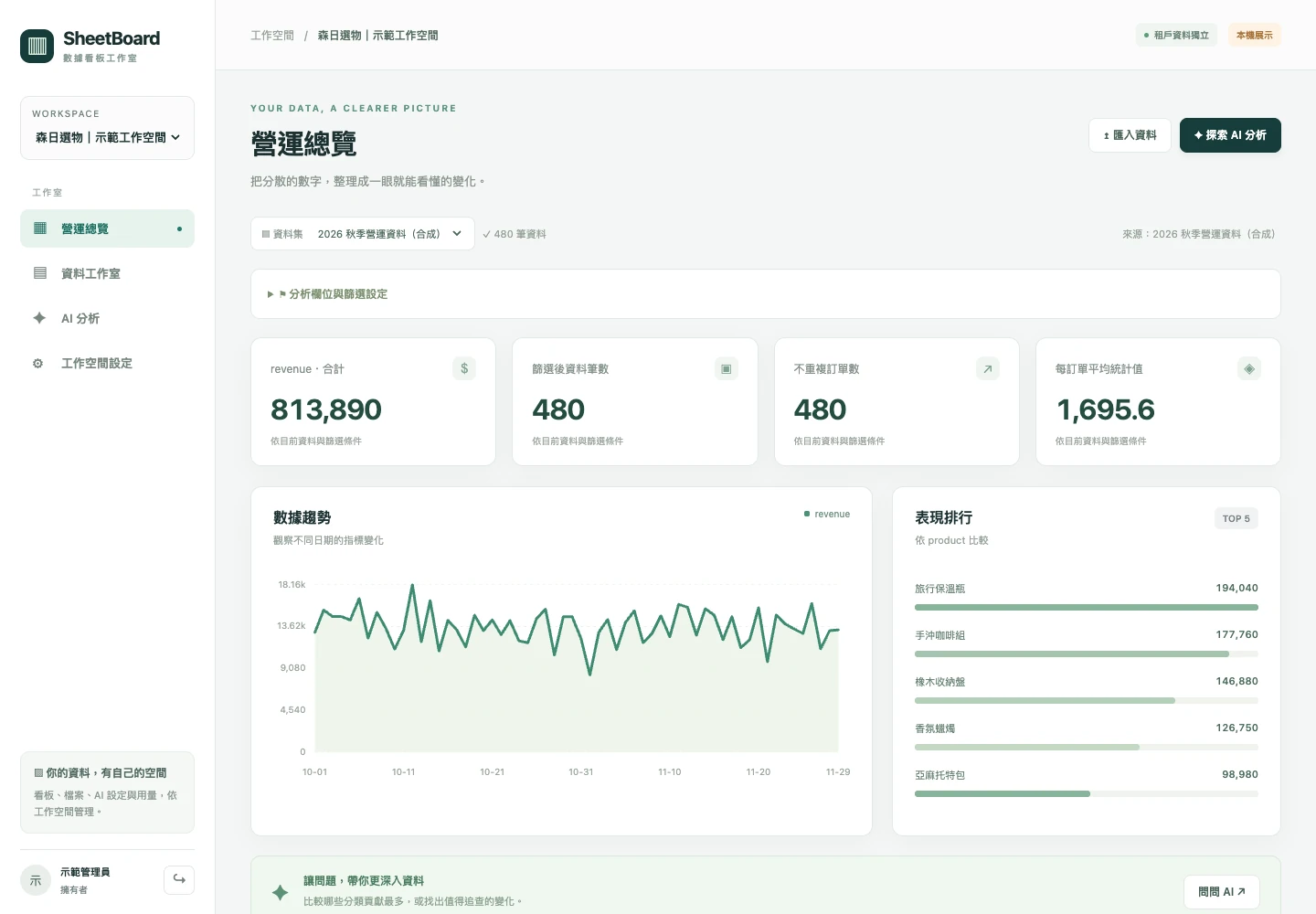
Preview data and select a worksheet. A role-aware walkthrough explains import, metrics, saved dashboards, and analysis; reopen it whenever needed.
Choose sums, averages, or counts; select dates and categories; explicitly exclude unwanted statuses.
Save field and filter settings, then replace the dataset for the next reporting period.
Manage data, dashboards, and member roles within each workspace. Consultants can switch between authorized client contexts.
The planned AI workflow uses calculated metrics and necessary summaries to help interpret results, while retaining the data scope and calculation definitions for review.

Use a key from your own AI provider account and pay that provider for model usage. Platform plans will be announced separately.
A planned option with a platform-managed model and a defined usage allowance, without setting up your own key. Pricing and allowances are not yet announced.
Bringing your own key does not mean data stays on your device. The destination and scope of data sent to external AI will be explained before use.
Tell us about the file format, the numbers you track, and who reads the report. We can discuss where SheetBoard could fit into your workflow.
Request a walkthroughA description is enough to start. Please do not email sensitive data.